

Download Mate Translate – fast, secure multilingual translator
Overview
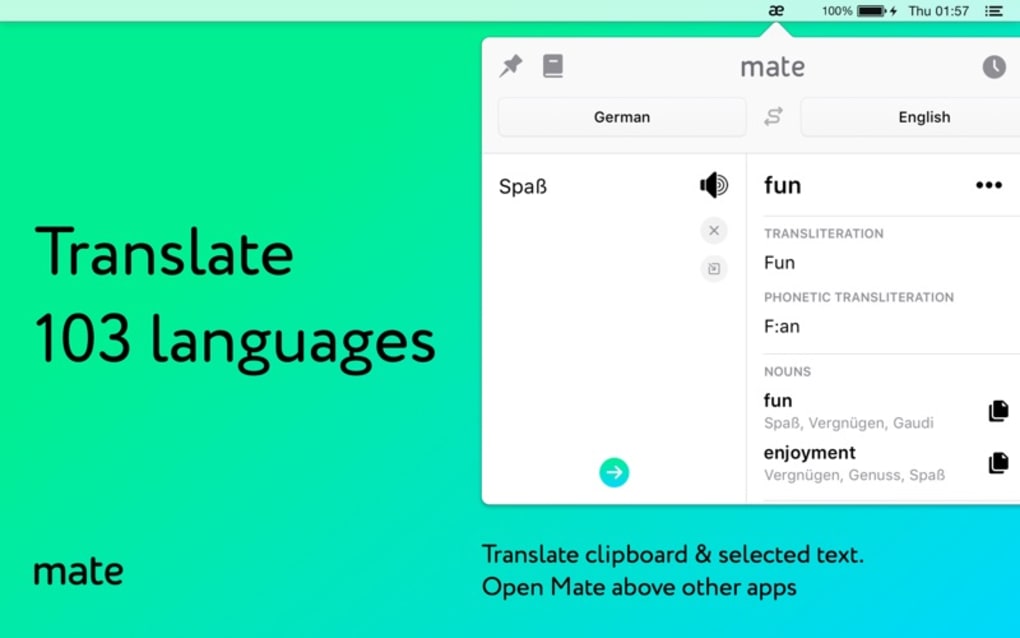
Mate Translate is a lightweight translation tool that lives right in your Safari browser and macOS menu bar, giving you instant access to more than 103 languages without ever leaving the page you’re on. Designed for both casual users and language learners, the app offers a clean, distraction‑free interface that lets you translate single words, short phrases, or whole sentences with a single click. Whether you’re browsing foreign news sites, reading technical documentation, or practicing a new language, Mate Translate delivers accurate, context‑aware results powered by modern neural‑network engines. The app also stores a history of your translations, lets you pin favourite phrases, and provides a built‑in pronunciation feature so you can hear how words sound in real time. Because the software runs locally in the menu bar, you benefit from fast response times and an extra layer of privacy—your text never has to leave your device unless you explicitly choose to sync it to the cloud.
Key Features
- Support for over 103 languages, including less‑common dialects.
- Instant translation from the Safari toolbar or macOS menu bar.
- One‑click pronunciation playback for accurate accent learning.
- Translation history and favourites for quick reference.
- Context‑sensitive suggestions that improve with repeated use.
- Secure, offline processing for sensitive text.
- Customizable hotkeys and UI themes to match your workflow.
- Seamless sync across macOS and iOS devices via iCloud (optional).
- Free basic version with optional premium upgrade for unlimited translations.
Installation, Usage & Compatibility
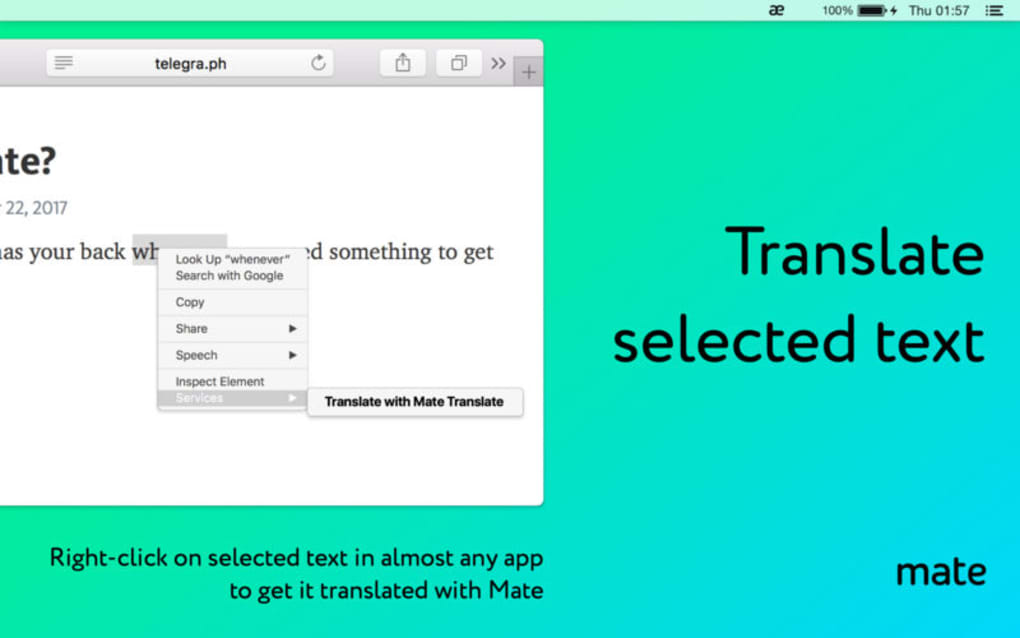
Getting started with Mate Translate is straightforward. Visit the official website or the Mac App Store, click the “Download” button, and the installer will guide you through a standard drag‑and‑drop installation. Once installed, you’ll see a small globe icon appear in your menu bar. Clicking the icon opens a compact window where you can type or paste text, select the source and target languages, and receive an instant translation. For Safari users, a dedicated toolbar button appears next to the address bar; selecting any highlighted text and clicking the button triggers an immediate translation overlay.
The app is built specifically for macOS Monterey and later, but it also offers a companion iOS app for iPhone and iPad, ensuring a consistent experience across Apple devices. While Mate Translate does not have a native Windows or Android client, the web version can be accessed from any modern browser, providing cross‑platform flexibility for users who need occasional translations on non‑Apple hardware. System requirements are modest: 2 GB of RAM, 200 MB of free disk space, and an internet connection for the initial language model download. Once the language packs are cached, offline translation works for most supported languages.
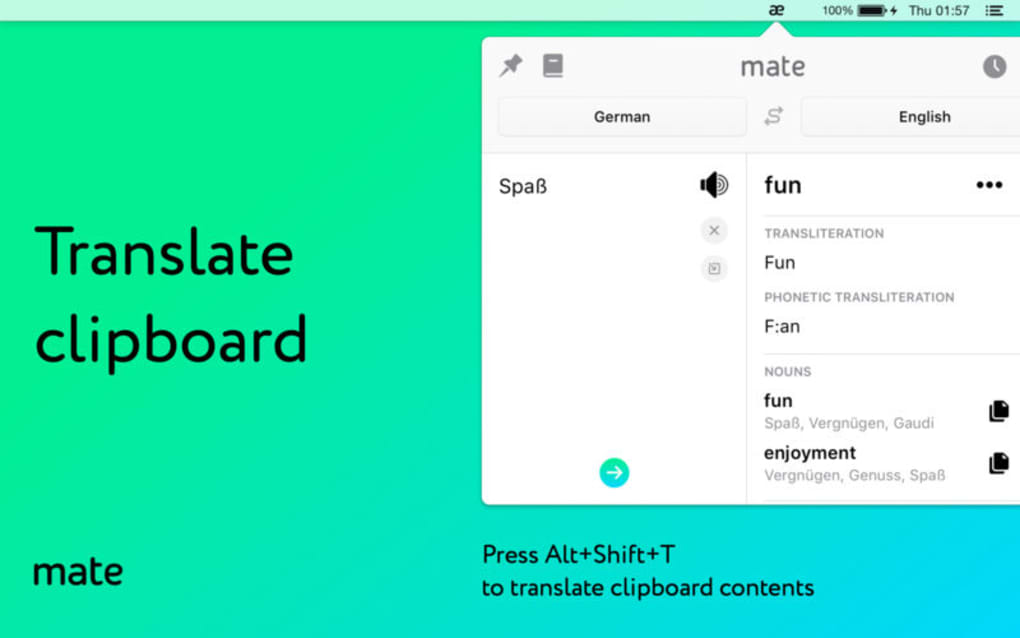
Using the tool is as simple as selecting text and pressing the shortcut ⌘ ⇧ T (customizable in preferences). The app will automatically detect the source language, but you can manually override it if needed. For language learners, the “Save to Favorites” button stores useful phrases, and the built‑in audio playback uses high‑quality text‑to‑speech voices, allowing you to practice pronunciation without opening a separate dictionary. The settings panel lets you control data sync, enable or disable cloud backup, and adjust the UI theme to match dark or light mode on your Mac.
Pros & Cons and Frequently Asked Questions
Pros
- Lightning‑fast translations directly from the menu bar.
- Supports a remarkable 103+ languages, including rare ones.
- Offline mode protects privacy and works without an internet connection.
- Integrated pronunciation aids language learners.
- Free tier offers generous daily usage; premium is affordable.
- Elegant macOS‑native design that blends seamlessly with Safari.
Cons
- No dedicated Windows or Android application (web version is the only alternative).
- Free version limits the number of translations per day.
- Advanced features such as batch translation require a premium subscription.
- Initial language pack download can be sizable for slower connections.
FAQ
Is Mate Translate completely free?
Mate Translate offers a robust free tier that includes up to 50 translations per day and access to all core languages. For unlimited usage, batch translation, and priority support, you can upgrade to the premium plan for $4.99 per month.
Can I use Mate Translate offline?
Yes. After the initial language packs are downloaded, most translations work offline, which is ideal for privacy‑focused users or when traveling without internet.
How does Mate Translate handle sensitive information?
All translations are processed locally on your device unless you enable iCloud sync. This means your text never leaves your computer unless you choose to back it up, providing an extra layer of security for confidential content.
Does Mate Translate work with other browsers besides Safari?
The dedicated toolbar button is Safari‑only, but the menu‑bar app works system‑wide, so you can translate text from any application, including Chrome, Firefox, or native macOS apps.
Is there a way to customize hotkeys?
Yes. In the Preferences window you can assign your own shortcut for “Translate selection,” making the workflow fit perfectly into your personal productivity setup.
Conclusion & Call to Action
Mate Translate stands out as a sleek, efficient solution for anyone who needs quick multilingual support without juggling multiple tabs or external websites. Its integration into the Safari toolbar and macOS menu bar eliminates friction, while the offline capability reassures privacy‑conscious users. Although the lack of a native Windows client might limit adoption among non‑Apple users, the web version fills that gap adequately for occasional needs. The free tier is generous enough for daily browsing, and the premium upgrade is reasonably priced for power users and language enthusiasts.
If you’re looking for a fast, secure, and user‑friendly translator that blends seamlessly with your Mac workflow, Mate Translate is a compelling choice. Download the app today, add it to your menu bar, and start breaking language barriers instantly. For students, professionals, and casual browsers alike, the convenience of having over a hundred languages at your fingertips makes Mate Translate a must‑have addition to your productivity toolbox.
Ready to translate smarter? Click the download button below, install Mate Translate, and enjoy instant multilingual assistance across Safari and every app on your Mac.







